

Photo Studio works on the products in a catalog, so you need one before you start. Create a catalog and add items with product images first — see the Catalogs Quickstart. If you have no catalog yet, you can also create one directly from the catalog picker inside Photo Studio.
1. Open Photo Studio and pick a catalog
Go to dashboard.rastro.ai/photo-studio, or click Studio (the camera icon) in the dashboard sidebar. Then choose your catalog in the picker at the top of the left panel — the panel fills with your products.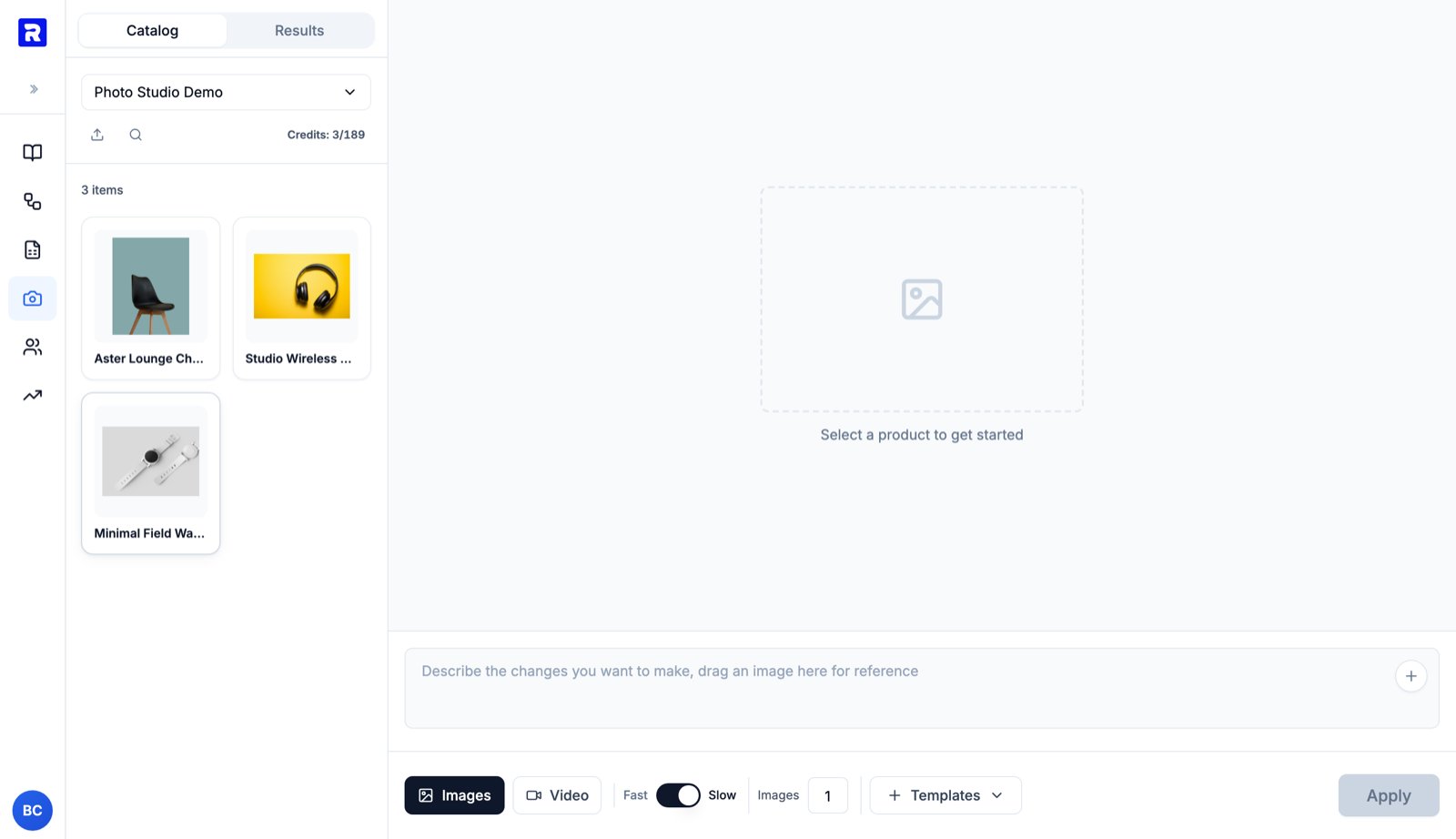
Photo Studio with a catalog selected. The left panel lists your products; the Credits readout shows the estimated cost of the current operation next to your remaining balance.
2. Select a product and describe your edit
Click a product card to load its image onto the canvas, then describe the change you want in the prompt box. A few examples:Place this chair in a bright Scandinavian living room with natural window lightPut the product on a pure white background for e-commerceMacro close-up of the fabric texture, soft studio lighting
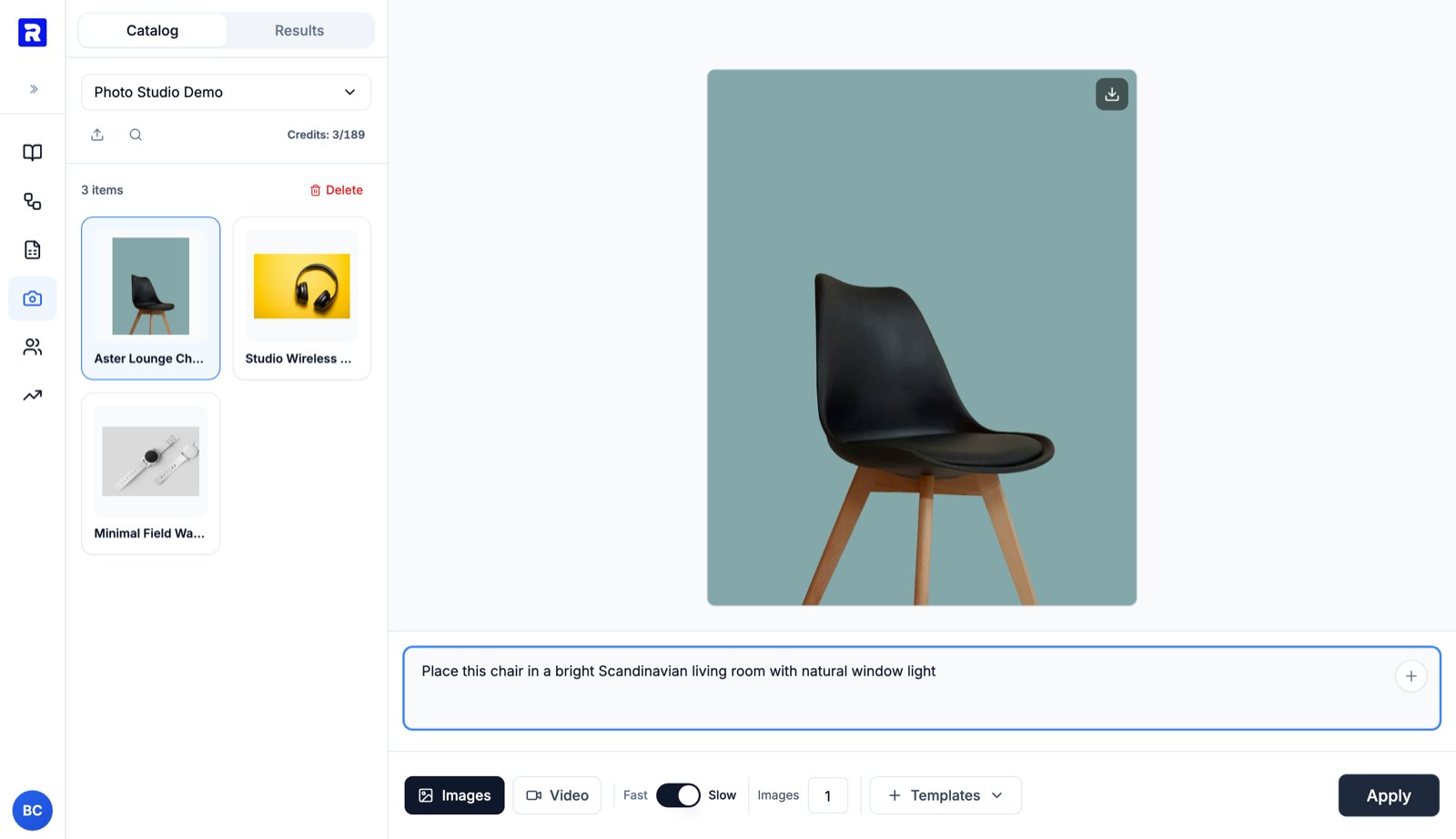
Product selected, edit described. The toolbar sets quality (Fast vs Slow), how many image options to generate, and gives access to prompt templates.
- Fast / Slow — Fast is cheaper and quicker; Slow uses the highest-quality model.
- Images — how many options to generate in one run (1–20). Generating several lets you pick the best one.
- Templates — reusable prompts for common shots (see below).
3. Apply and let it generate
Click Apply. The job runs in the background — the left panel switches to the Results tab, where each run shows its input → output thumbnails and a live status. You can keep working, queue edits on other products, or leave the page while it runs. Generation typically takes under a minute for images. You are only charged credits for successful generations.4. Review the result and save it to your catalog
When the run completes, the result opens on the canvas. Use the buttons in the top-right corner to download the image or save it to your catalog.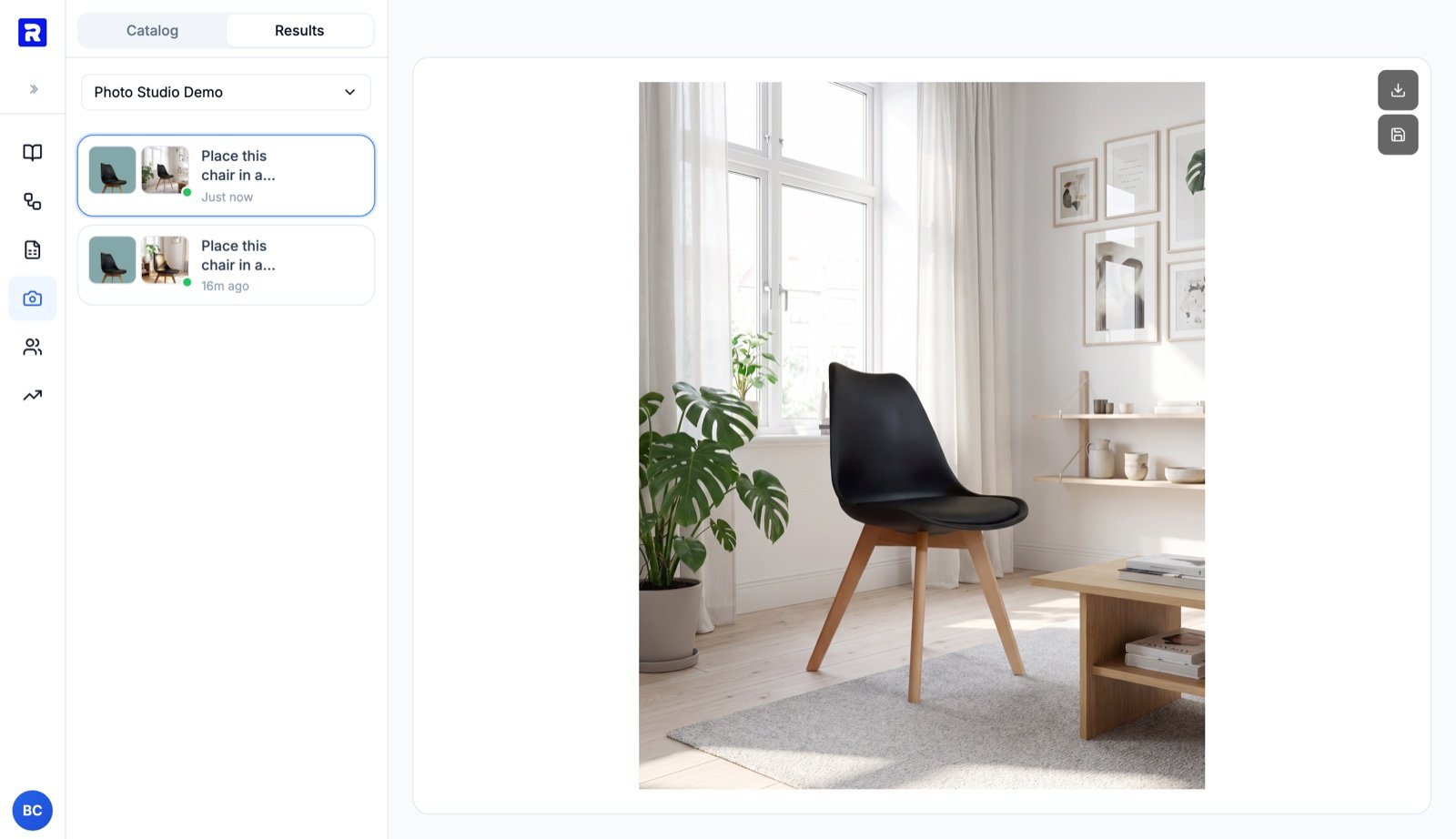
A finished edit. The Results tab keeps the full history of runs for this catalog, each with its input and output side by side.
image_urls gallery — your original photos are never overwritten. The product card updates immediately.
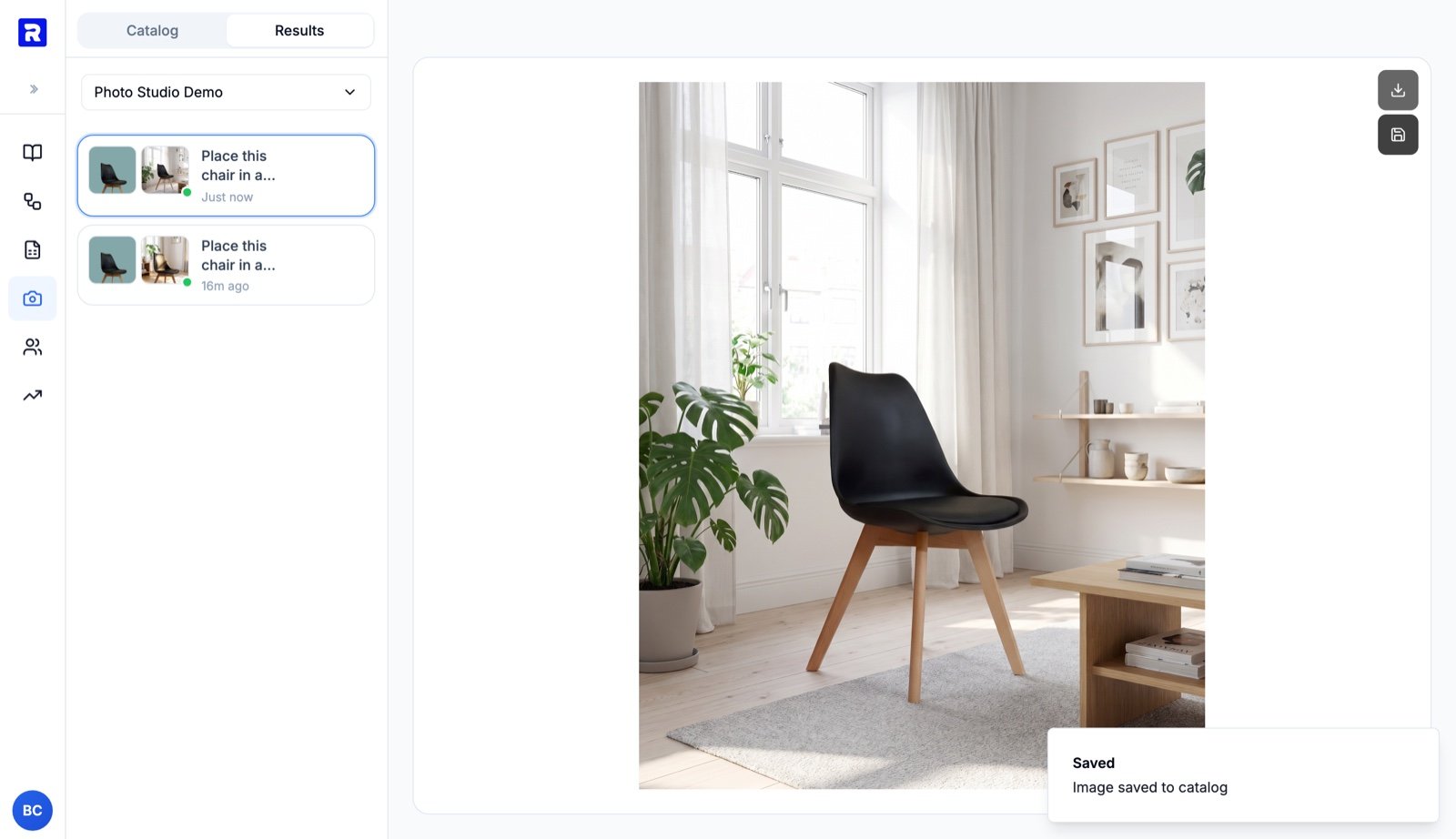
After saving: the generated image is added to the product's gallery.
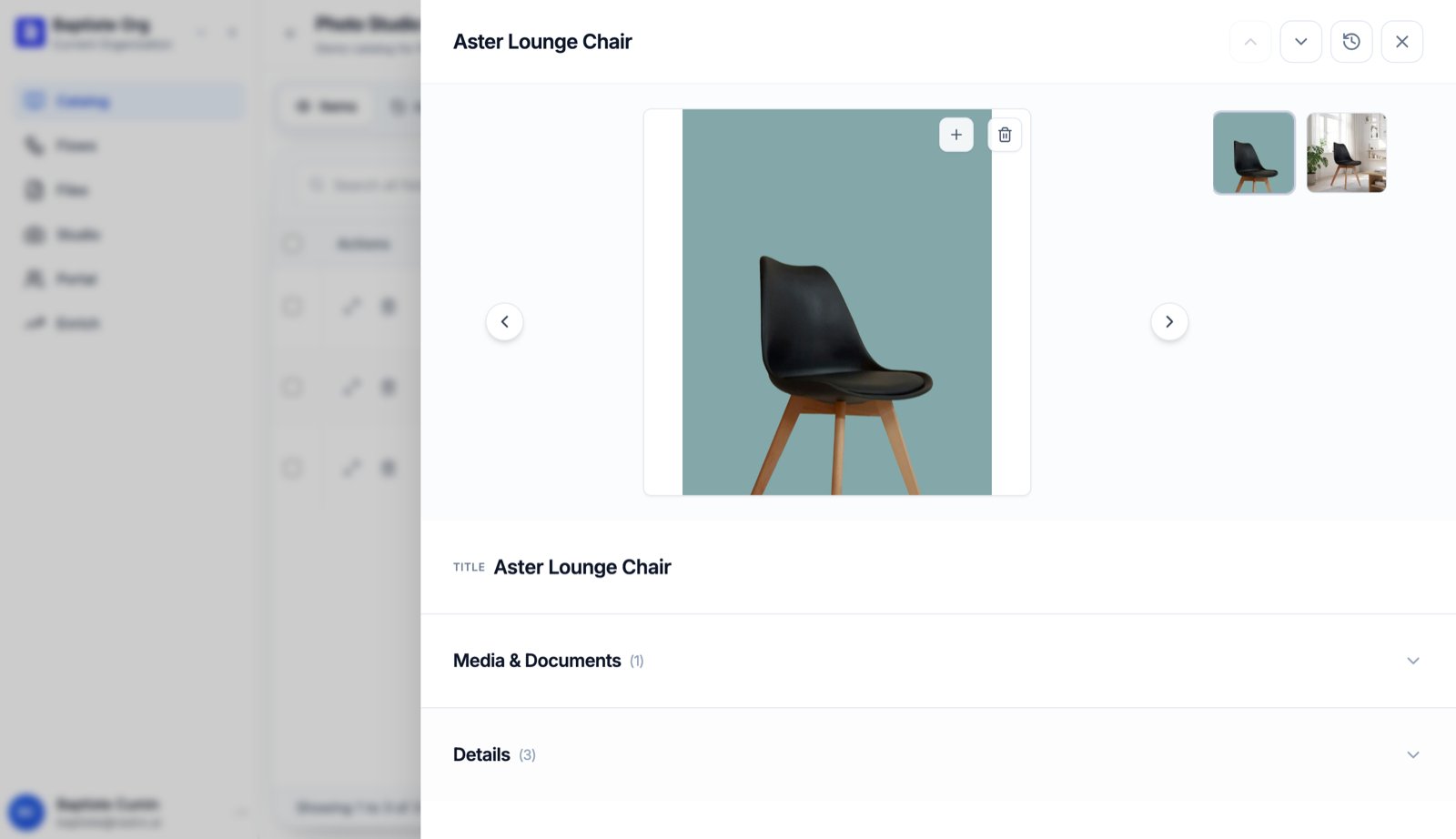
The catalog item after the edit: original studio shot plus the generated lifestyle image.
Generate videos too
Switch the tool from Images to Video to turn a product photo into a short clip. Pick a duration (5s / 10s / 15s), describe the motion, and optionally drag an image into the prompt box to use as the end frame.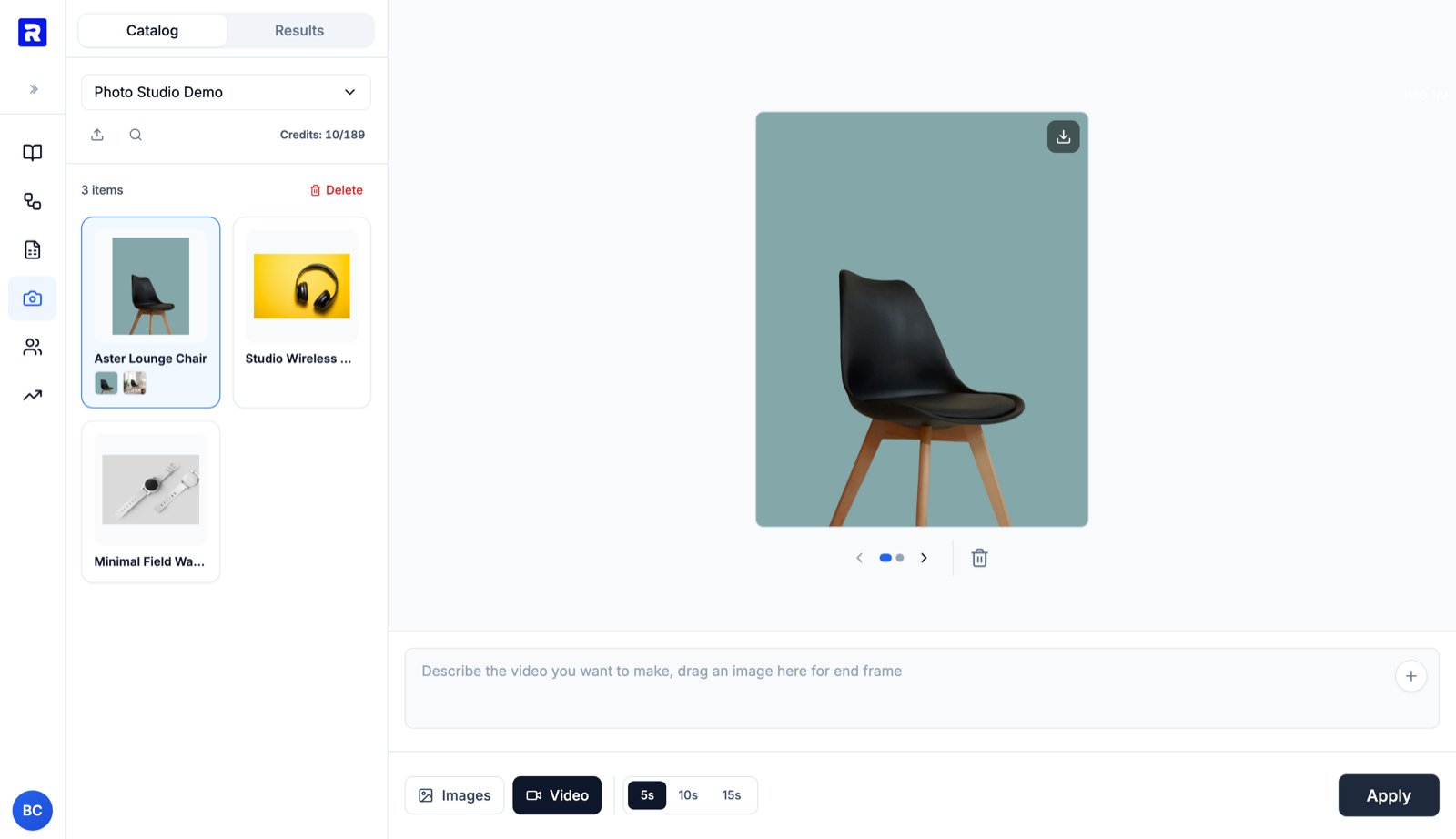
Video mode: choose a duration and describe the motion. The credits estimate updates to the video price before you apply.
video_urls just like images.
What’s Next
Photo Studio Reference
All tools, templates, costs, and behaviors
Catalogs Quickstart
Create the catalog Photo Studio works on
Credits
How credits and billing work